
Welcome to the Rampage Quantum Documentation. This guide is specifically designed for users who have purchased a strategy membership. It outlines the core usage guidelines for the framework, the complete process of activating the strategy on TradingView, and how to find your account information for authorization purposes.
Tip: Click on any image in the tutorial below to enlarge it.
Usage Guidelines & Market Suitability
Rampage Quantum Pro is a systematic trading framework designed to assist traders in market structure analysis, risk boundary management, position allocation, and execution discipline.
To ensure framework stability and maintain system consistency, users are encouraged to follow the guidelines below.
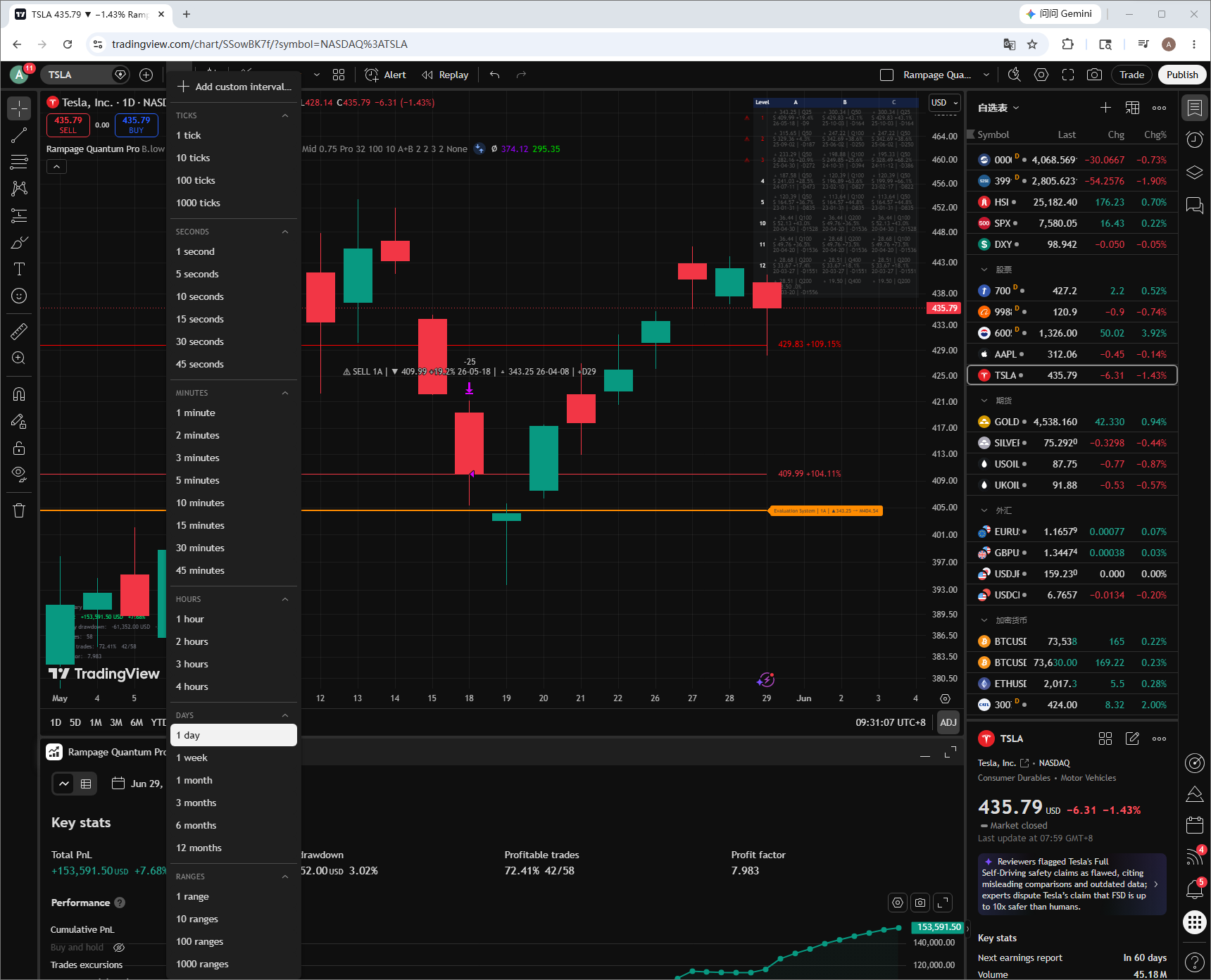
1. Daily Timeframe Recommended
It is recommended to set the TradingView chart interval to:
Interval = 1D
Rampage Quantum Pro is designed and optimized around the Daily timeframe as its primary operating environment.
The framework is intended to identify higher-level market structures, define risk boundaries, and support systematic trading decisions over extended market cycles.
Lower timeframes often introduce additional market noise and may reduce the stability of structural analysis. As a result, lower timeframes are outside the primary design objective of the framework.
2. Default Settings Recommended
The default parameters represent the recommended configuration of Rampage Quantum Pro and have been systematically designed and optimized.
These settings are intended to maintain consistency across market structure recognition, risk control, position management, and execution logic.
For most users, the default settings should be used without modification.
Unless the potential impact of parameter adjustments is fully understood, modifying the default configuration is not recommended.
3. Supports Daily-Timeframe TradingView Alerts
Rampage Quantum Pro supports TradingView Alerts based on the Daily timeframe.
When the framework identifies qualified market structures and execution events, users may receive real-time notifications through TradingView Alerts.
Supported notification methods include:
- Mobile App Notifications
- Browser Notifications
- Email Notifications
- Webhook Notifications (where applicable)
For optimal results, TradingView Alerts should be used together with the Daily timeframe.
4. Not Intended for Newly Listed Stocks (IPOs)
Rampage Quantum Pro is not designed for newly listed stocks.
Newly listed securities often lack sufficient historical data and may experience extreme volatility, rapid price advances, and sharp pullbacks during their early trading stages.
Due to their elevated uncertainty and risk characteristics, IPOs are outside the framework’s primary intended market scope.
5. Not Intended for Futures and ETFs
Rampage Quantum Pro is primarily designed and optimized for stocks and cryptocurrencies.
Futures contracts, leveraged ETFs, inverse ETFs, and other derivative instruments may exhibit significantly different structural characteristics, volatility profiles, and risk attributes.
As a result, these instruments are outside the primary intended operating environment of the framework.
Important Notice
Rampage Quantum Pro is not designed to predict future market movements.
It is a systematic trading framework intended to assist traders in market structure analysis, risk boundary management, position allocation, and execution discipline.
Nothing within this framework should be interpreted as financial advice, investment advice, security recommendations, or a guarantee of future performance.
All trading activities involve risk, and users remain solely responsible for their own trading decisions and risk management.
Activating TradingView Strategy for Pro Members
Follow these step-by-step instructions to apply the Rampage Quantum Pro strategy to your charts.
Step-by-Step Guide
-
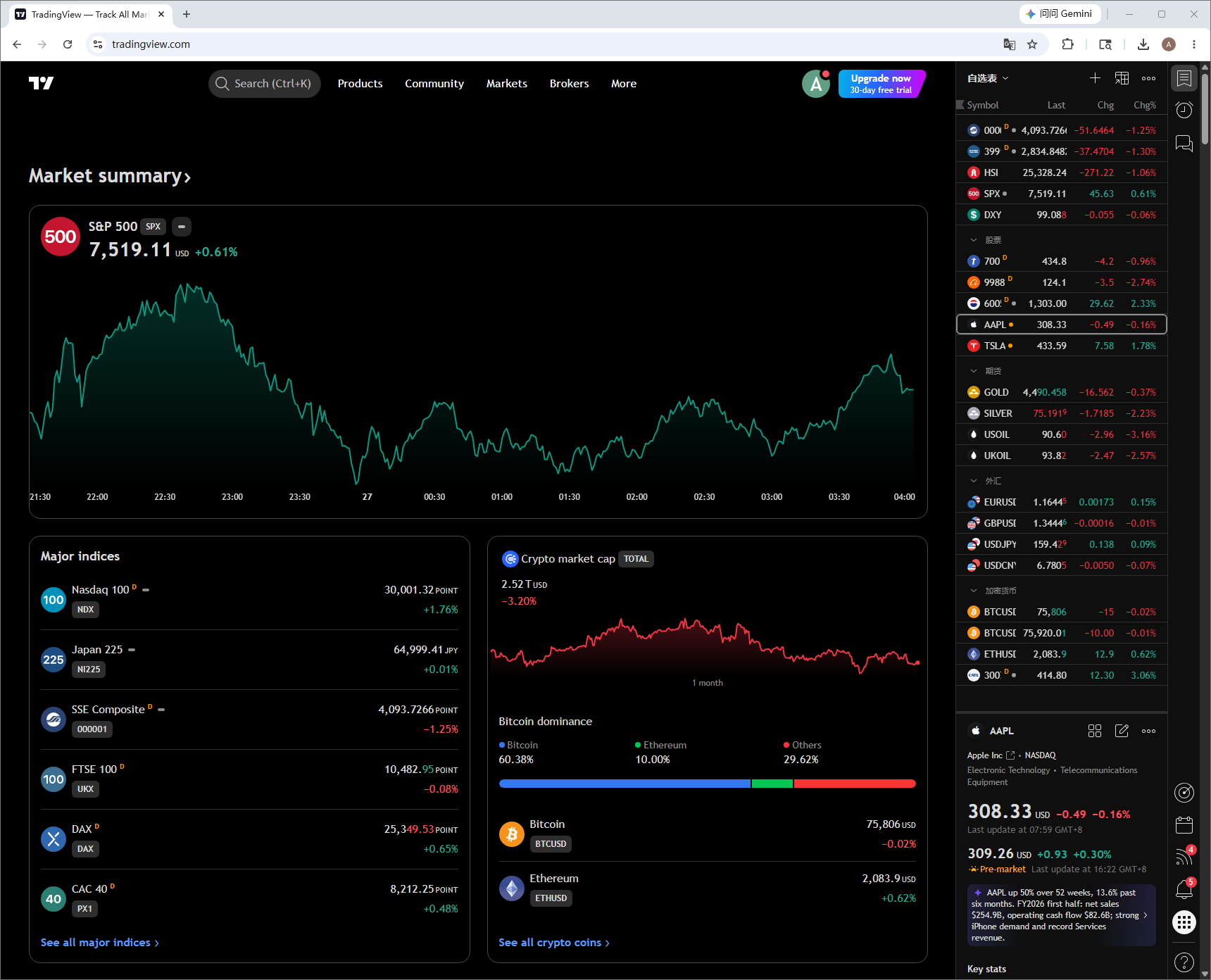
Step 1: Open the official TradingView website at www.tradingview.com.
-
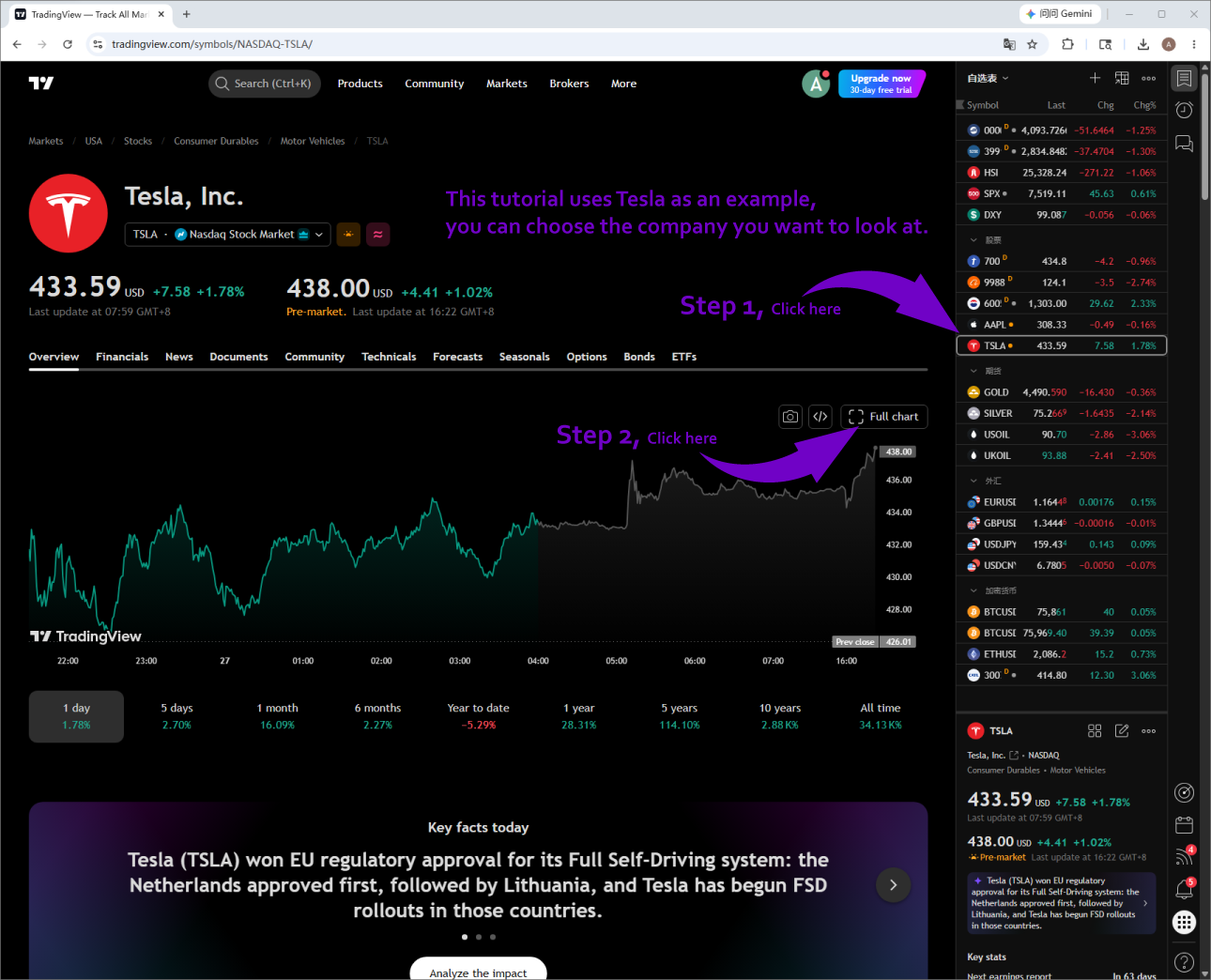
Step 2: Select a company you want to view. This tutorial uses Tesla as an example. Then click "Full chart".
-
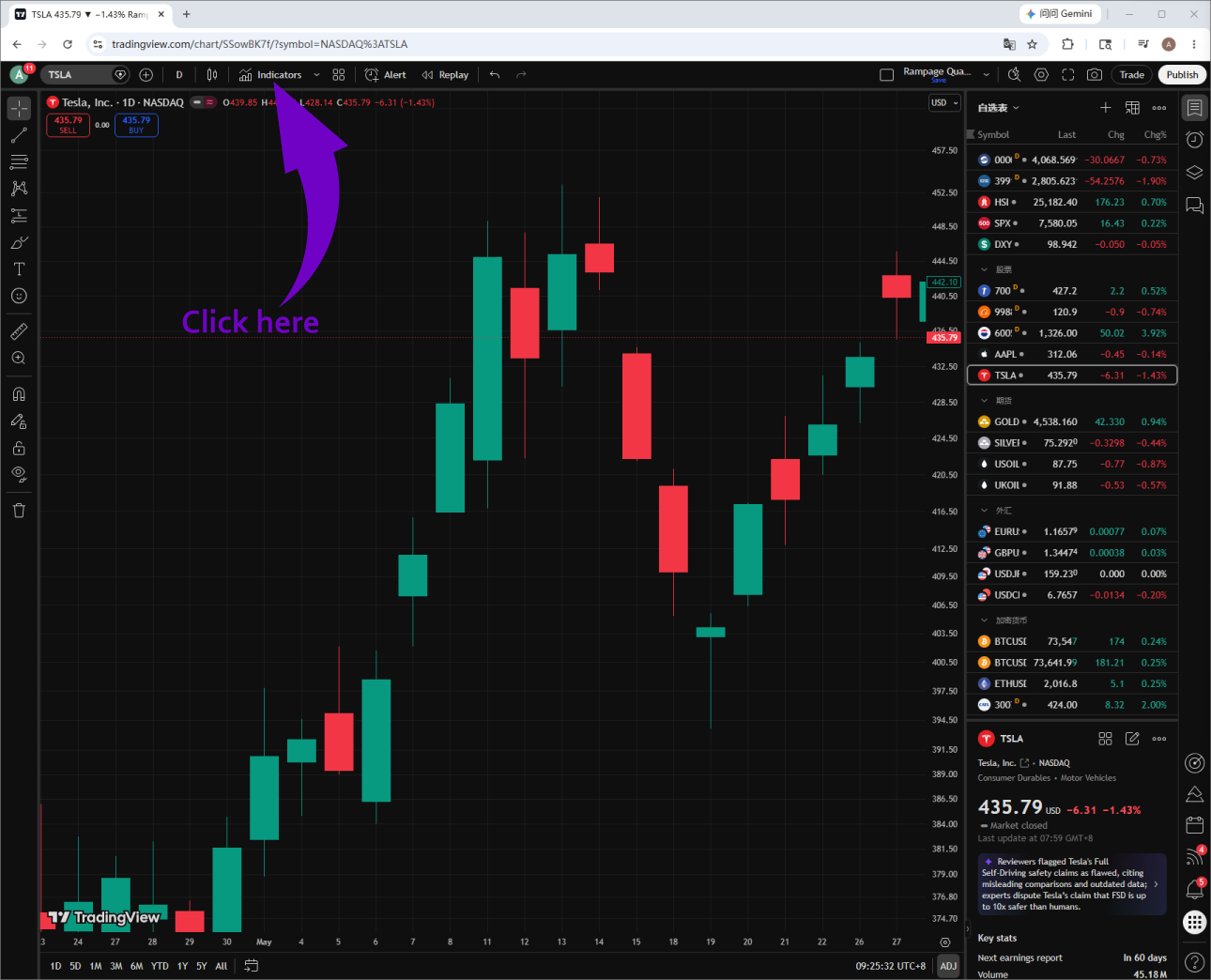
Step 3: After entering the stock chart, click "Indicators" at the top. Note: The position may vary on computers and iPads; it could be displayed at the top or bottom of the screen.
-
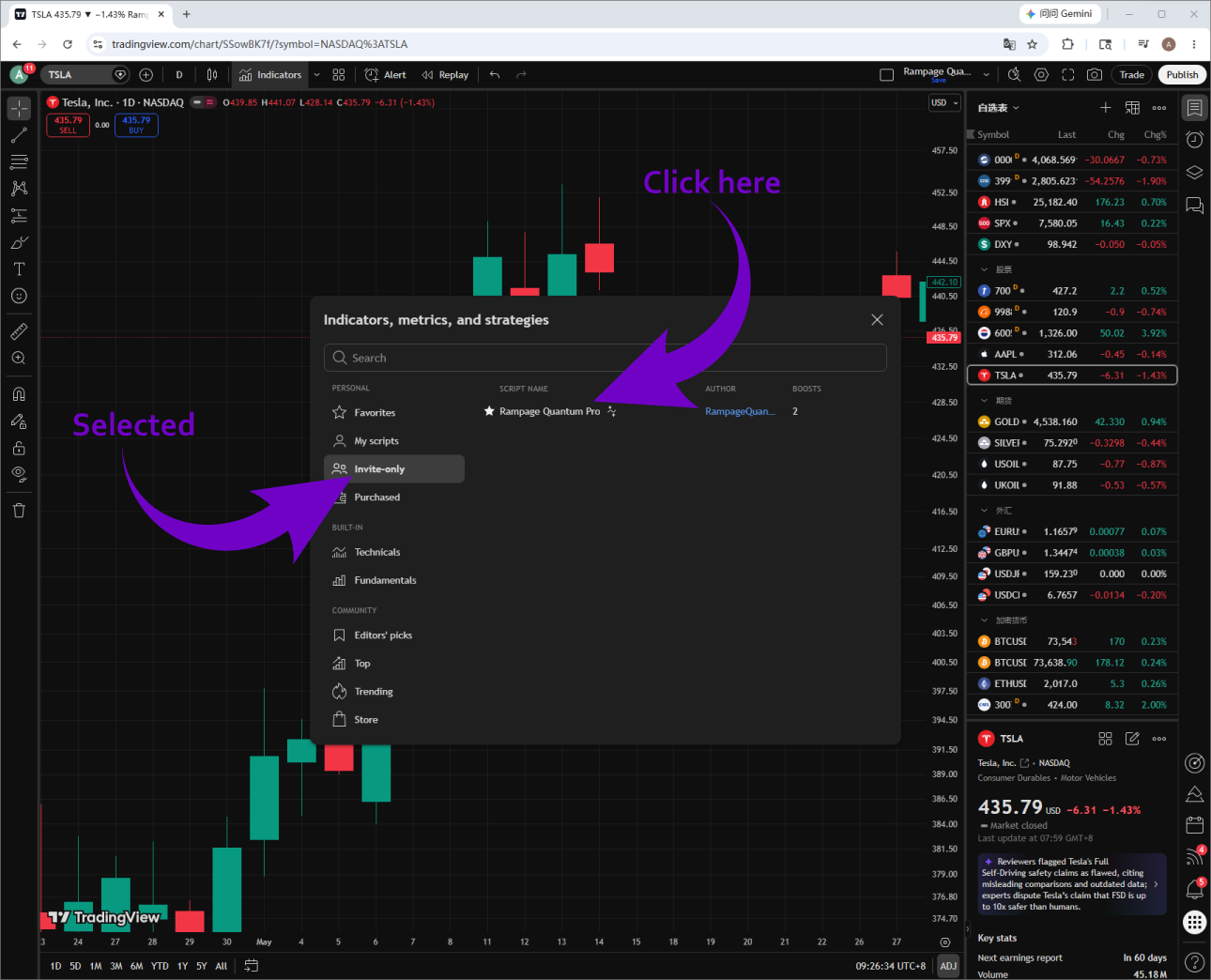
Step 4: In the pop-up window, select "Invite-only scripts" on the left sidebar, and then double-click "Rampage Quantum Pro".
-
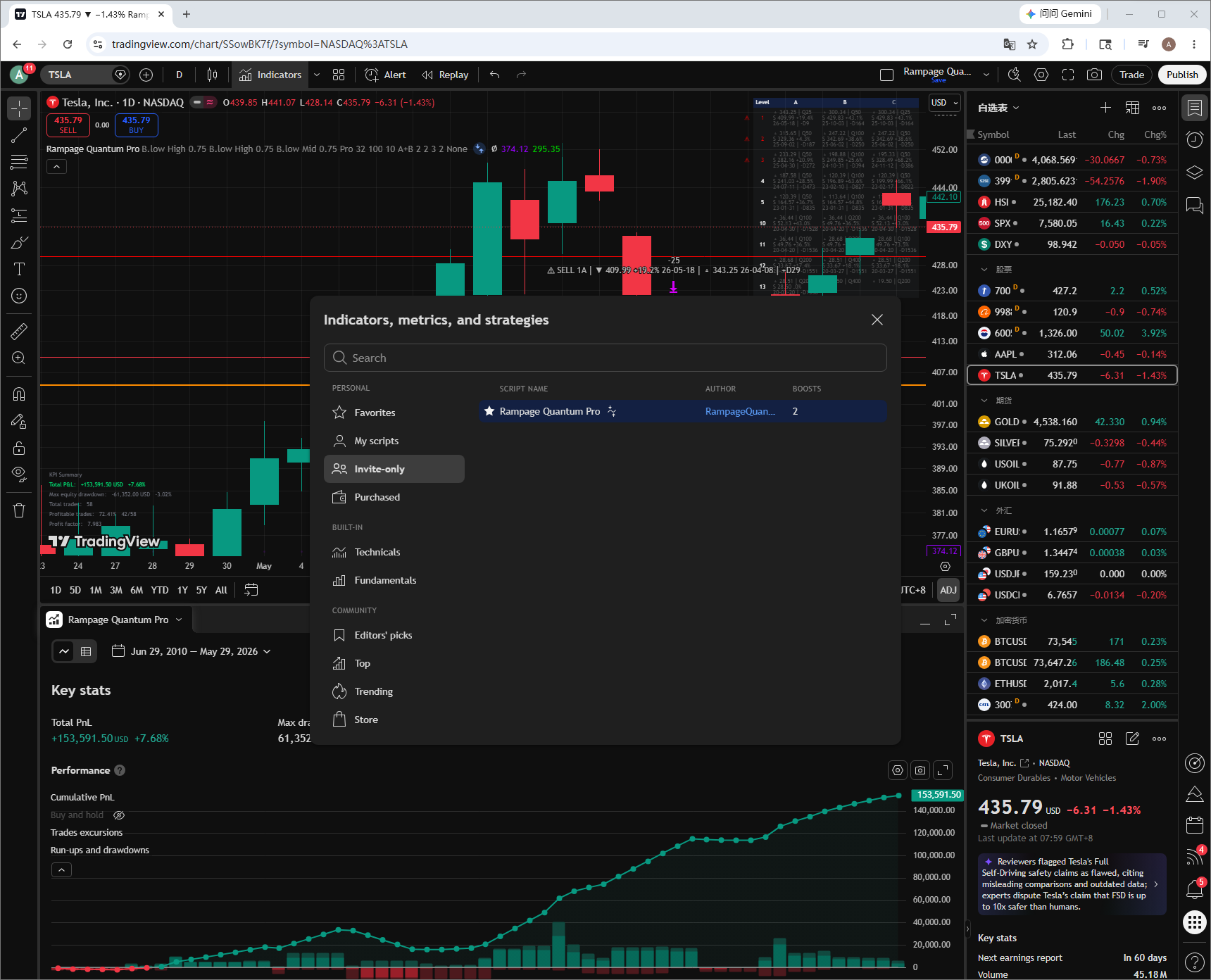
Step 5: After a few seconds, Rampage Quantum Pro will appear, displaying various indicators on your chart.
-
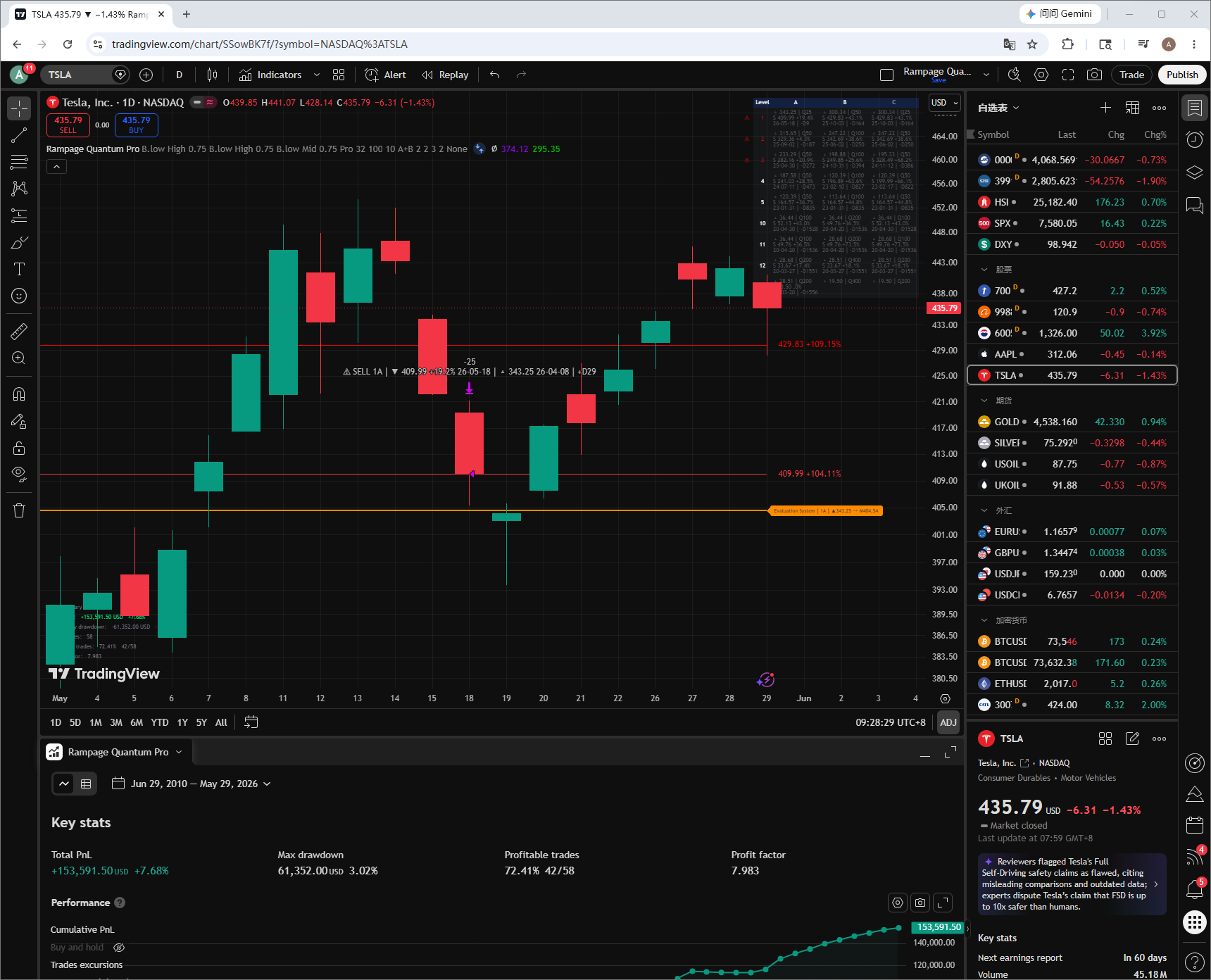
Step 6: The Rampage Quantum Pro strategy is now successfully running on your chart.
How to Find Your TradingView Username
To authorize your access to the invite-only strategy, we need your exact TradingView username. Here is how you can find it.
Instructions
-
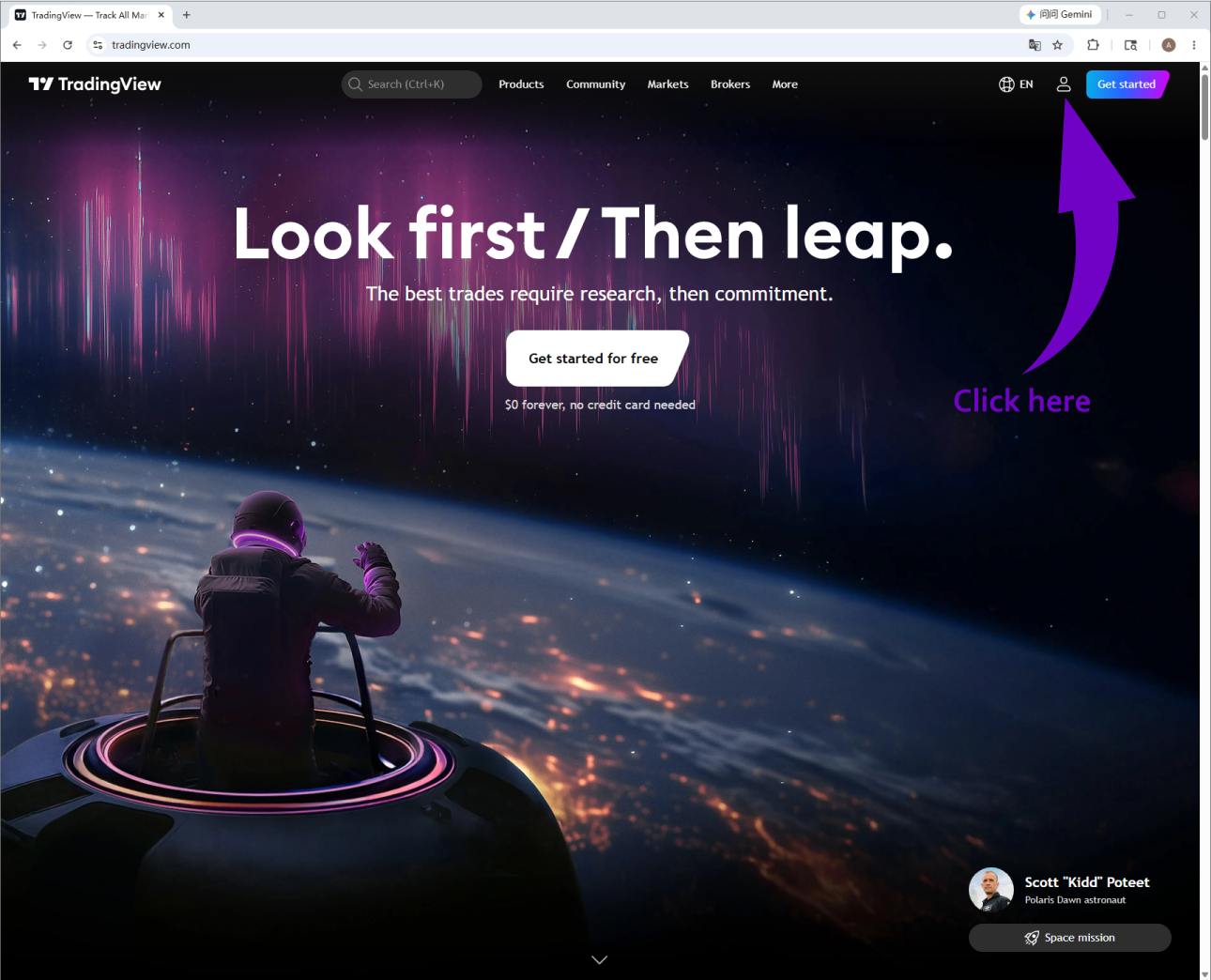
Log in: Open the official TradingView website (www.tradingview.com) and log in to your account at the top right corner.
-
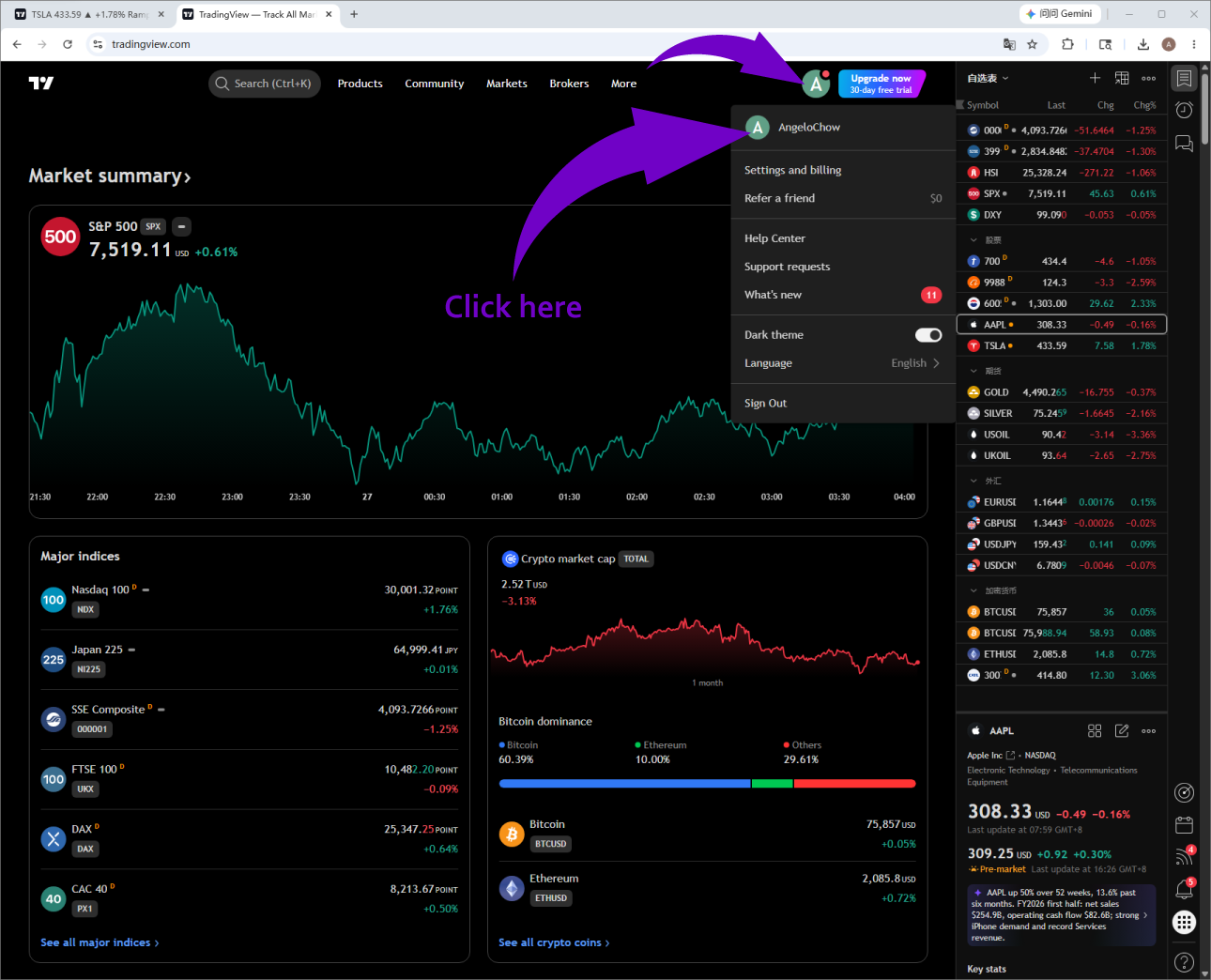
Profile Page: After logging in, click on your profile icon to enter your account management page.
-
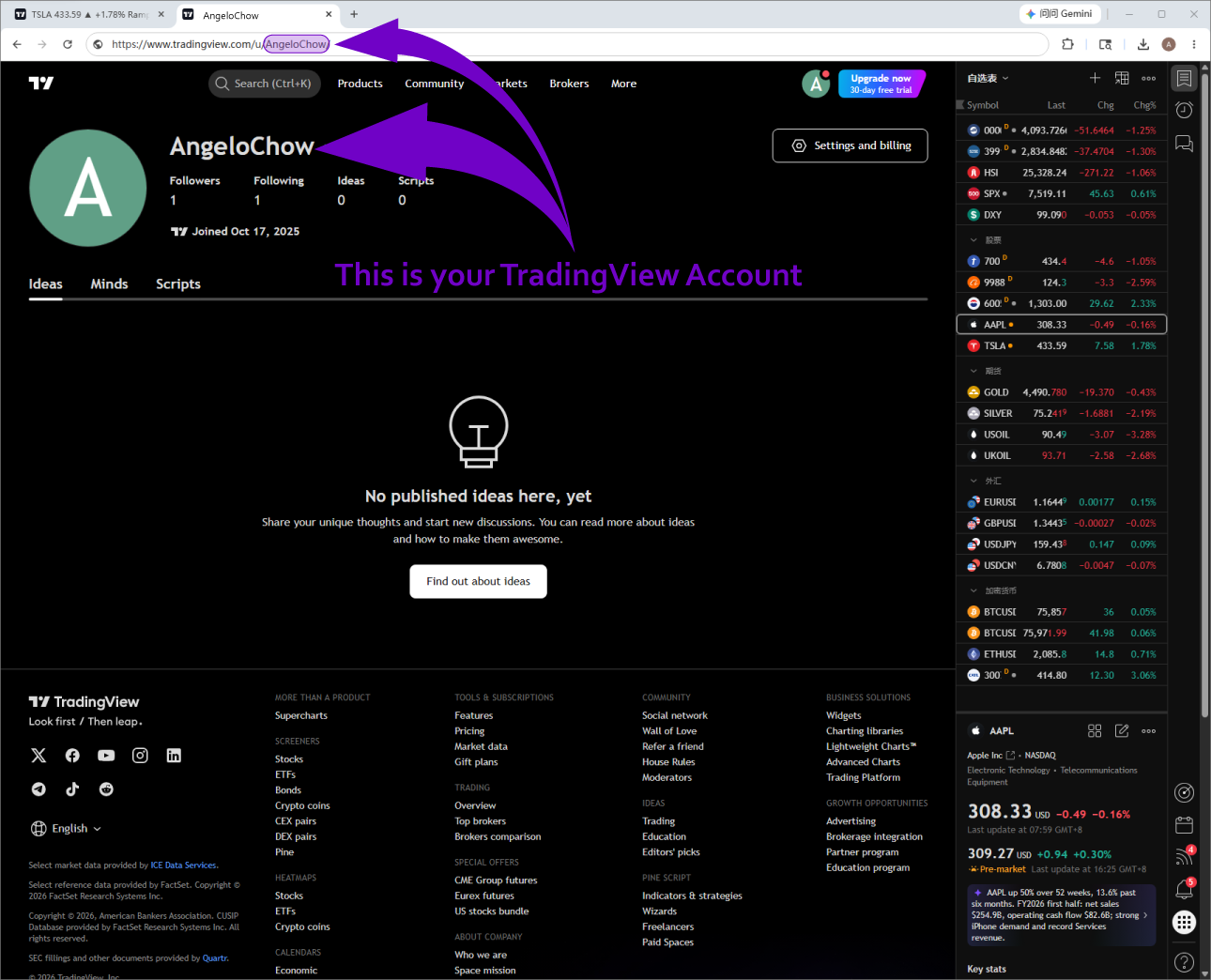
Identify Username: On your account management page, you will see your Username. For example, if the TradingView Username is AngeloChow, the last part of your browser's URL will also represent your Username (e.g.,
https://www.tradingview.com/u/AngeloChow/). We will use this exact Username to authorize your access.